 Sweet Help
Redesigned a WhatsApp app for Shopify: a setup guide on the dashboard, order messages that confirm, ship and win back carts, and a redesign that passed Shopify's Built for Shopify review.





Challenge
Sweet Help lets a store talk to its customers on WhatsApp: a chat widget with agents and working hours, a share button, and automated messages that recover abandoned carts, confirm cash-on-delivery orders and announce orders and shipments. The app did a lot, but the admin made merchants work to see it:
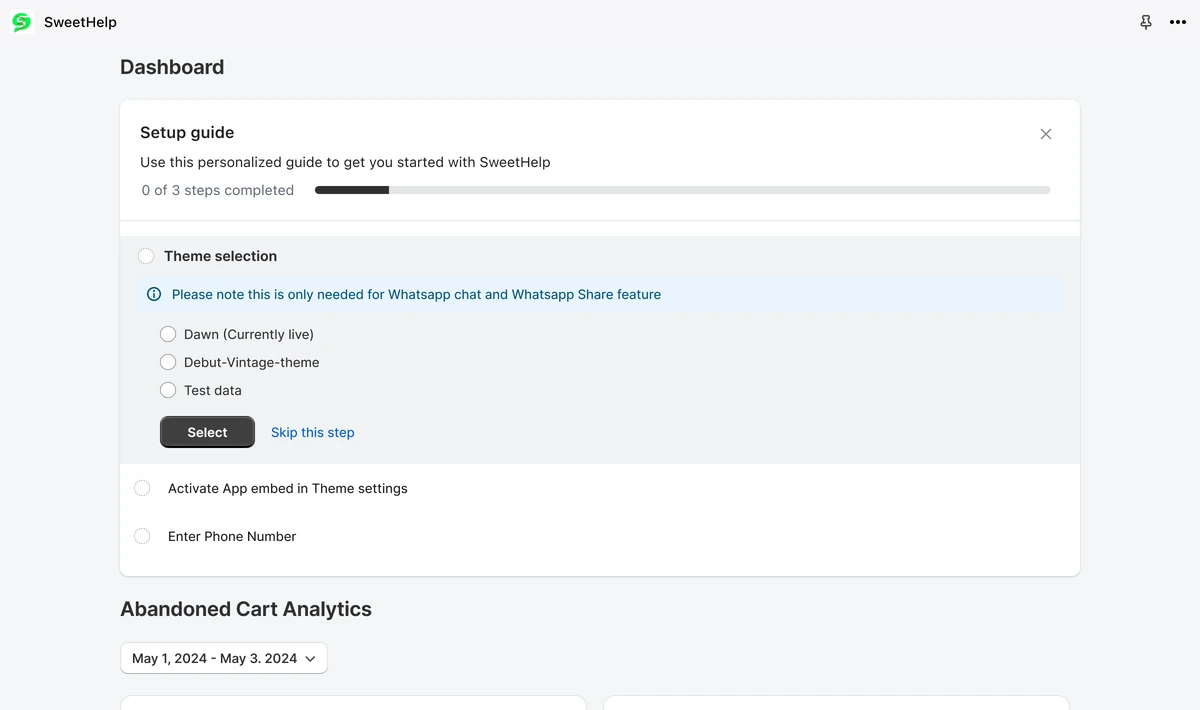
- The home page was a list of three how-to videos, with no sign of what to do first
- Connecting a number sent merchants to a sign-up form on another provider's site
- Each automated message was a checkbox in one long Configuration page, with a phone preview docked beside it
- Message logs, templates and campaigns were bare tables and modals, and the chat widget's settings were a long scroll of colour fields
The team needed an app that guides a merchant from install to the first message, reads well on a phone, and meets Shopify's Built for Shopify bar.
Phase 1: Audit
Audit: Documented every screen of the existing app: home, number setup, configuration, logs, templates, campaigns, chat, share and plans
User flows: Mapped how a merchant connects a number, switches an automated message on and checks that it sent
Phase 2: BFS review
Built for Shopify: Took the redesign through Shopify's Built for Shopify review and fixed what it asked for: content that fits a phone, a short app name in the navigation, the contextual save bar in place of modals for long forms, and a home page that shows whether the theme app embed is on
Phase 3: Design
Design: Designed a setup guide on the dashboard, one configuration page per automated message with a live phone preview, message templates with a review step, campaigns with segments, and analytics for every flow.
Messages: Gave abandoned cart recovery, cash-on-delivery confirmation, order confirmation and order shipping the same two-step shape: configure the message, then manage its templates.
Order automations
Every order moment
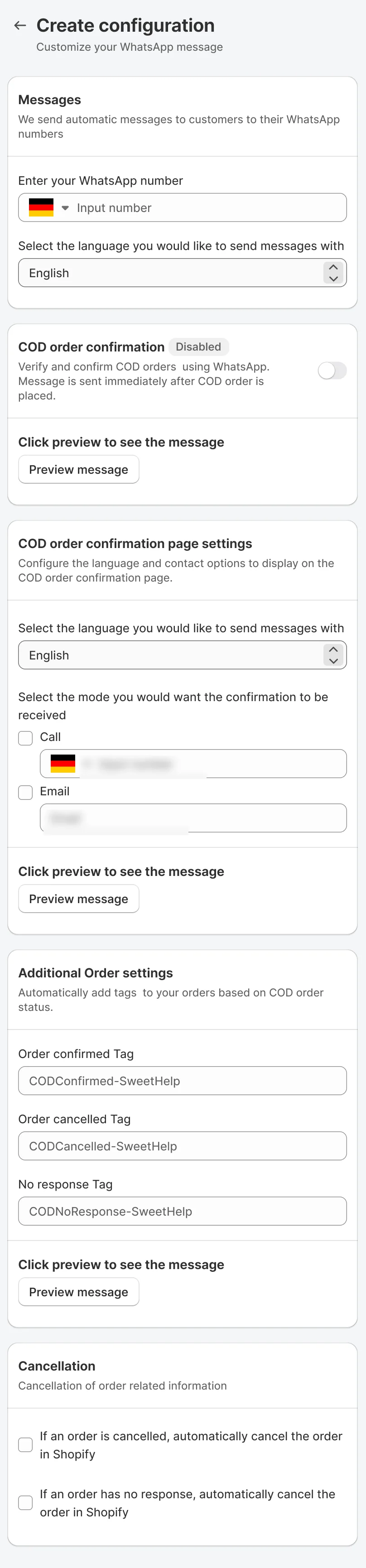
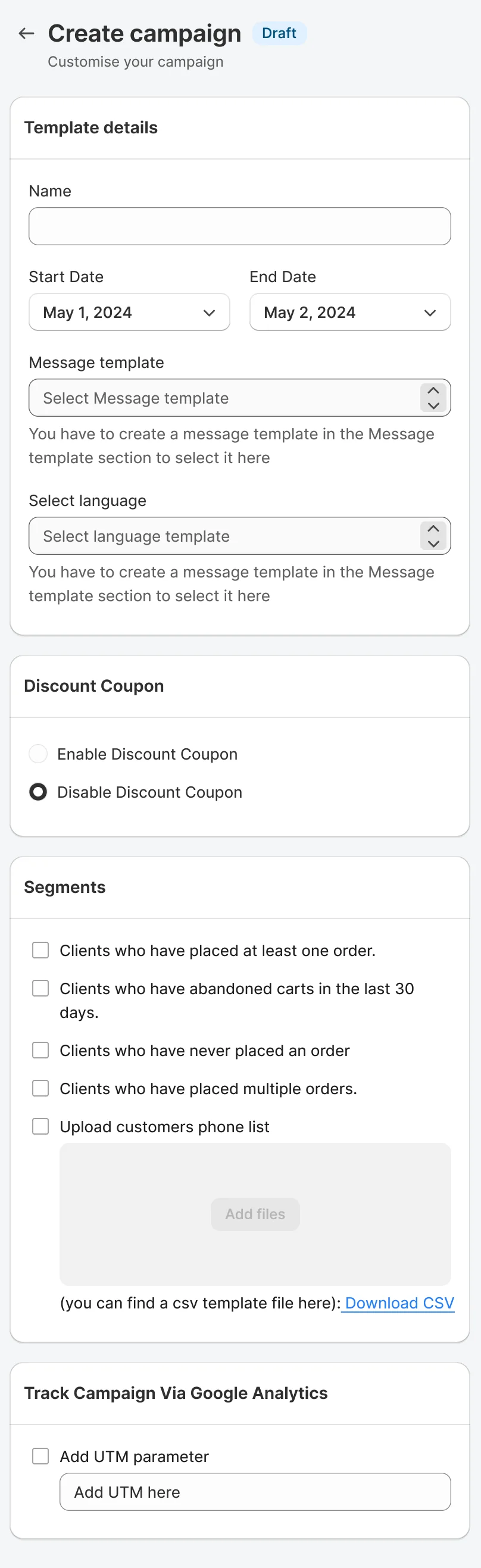
One parcel, four WhatsApp messages: the customer hears from the shop when the order is placed, confirmed, shipped, and when a campaign reaches them. Each station shows the real configuration screen behind it. The chat is an illustration.

-
1
 COD confirmationCOD order confirmationVerify and confirm COD orders using WhatsApp. Message is sent immediately after COD order is placed
Illustration
Hi! We got your order #1042, cash on delivery, total $48.00. Please confirm it so we can ship it.
Confirm orderCancel order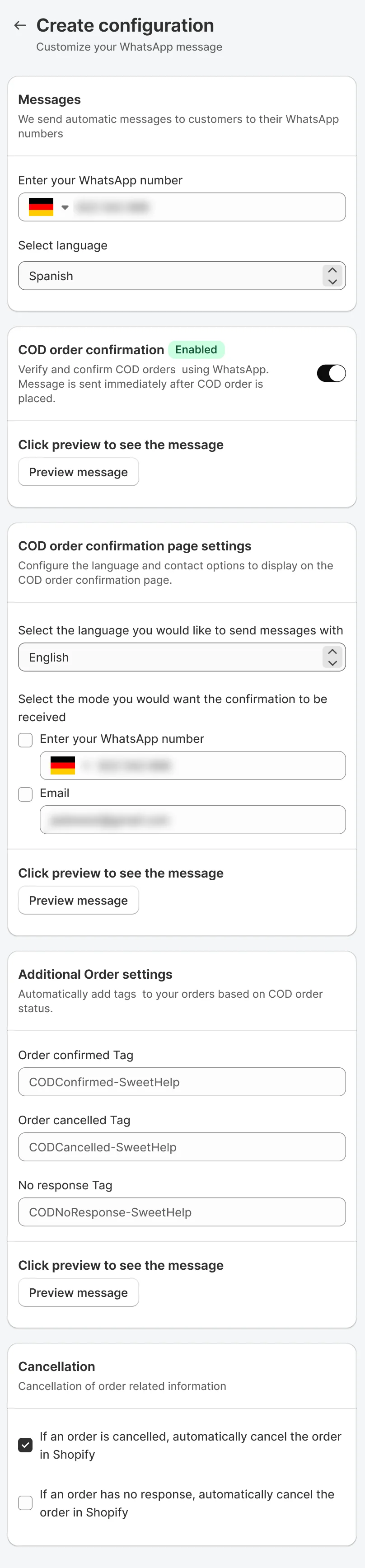
-
2
 Order confirmationOrder confirmationSend an order confirmation message right after a customer places an order, and offer a coupon for their next purchase.
Illustration
Thanks for your order! Order #1042 is confirmed and we are getting it ready.
1 × Sample item$48.00Total$48.00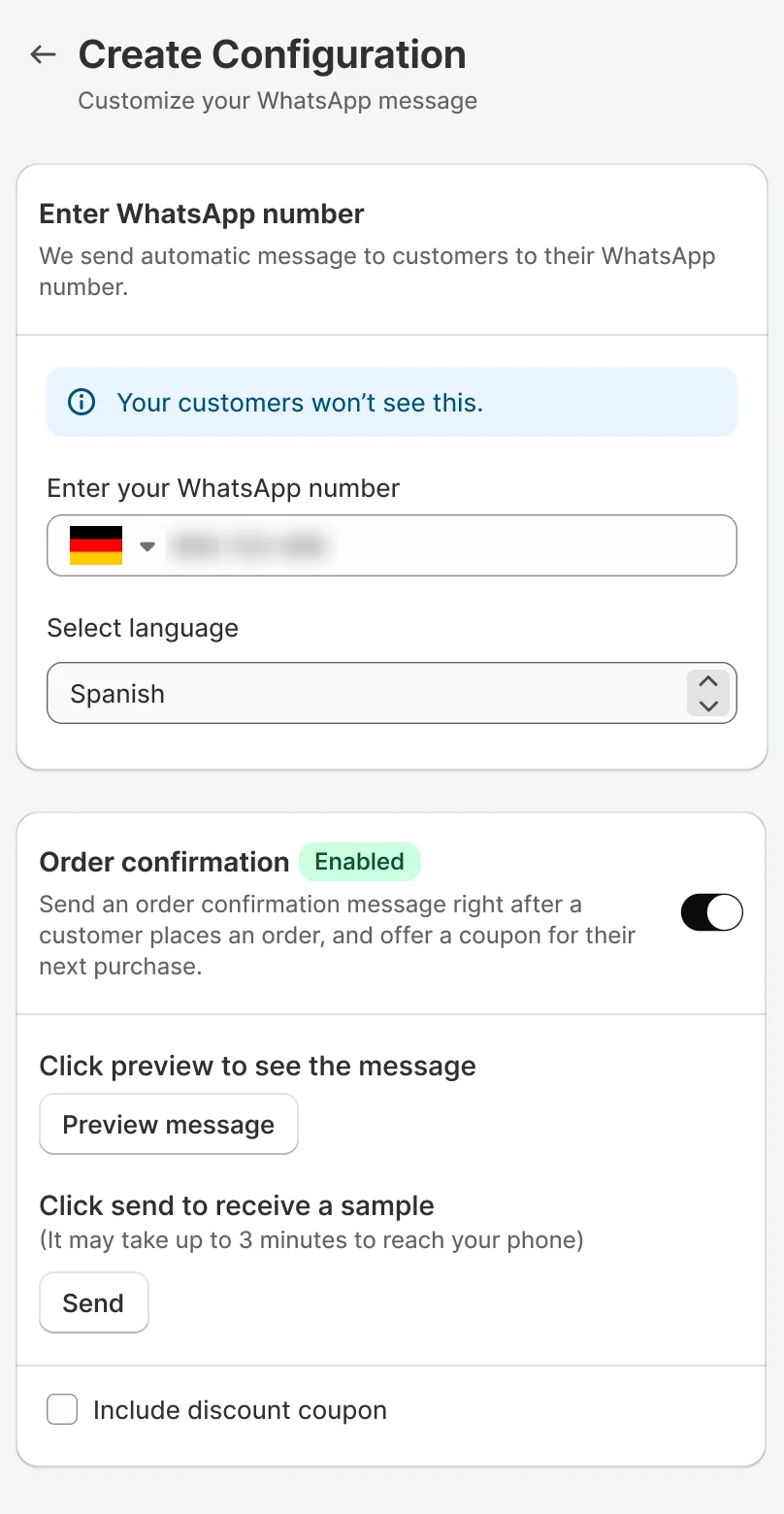
-
3
 Order shippingOrder shipmentOrder shipment messages are sent upon fulfilling an order in Shopify, using the tracking number and URL from your order data.
Illustration
Good news, your order #1042 is on its way!
PackedShippedDelivered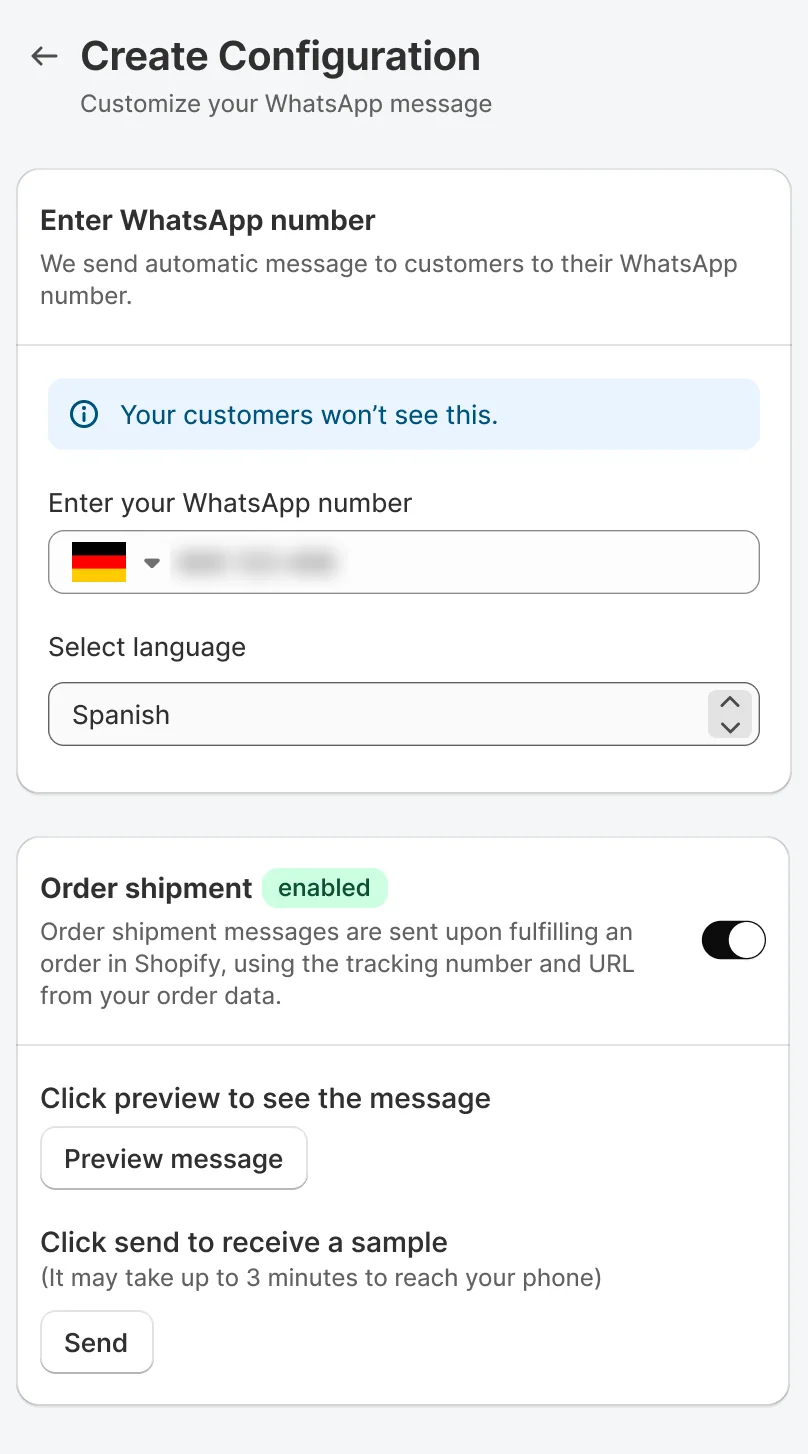
-
4
 CampaignCreate campaignCustomise your campaign
Illustration
Our Diwali offer is here. Use your coupon on your next order.
Shop the offer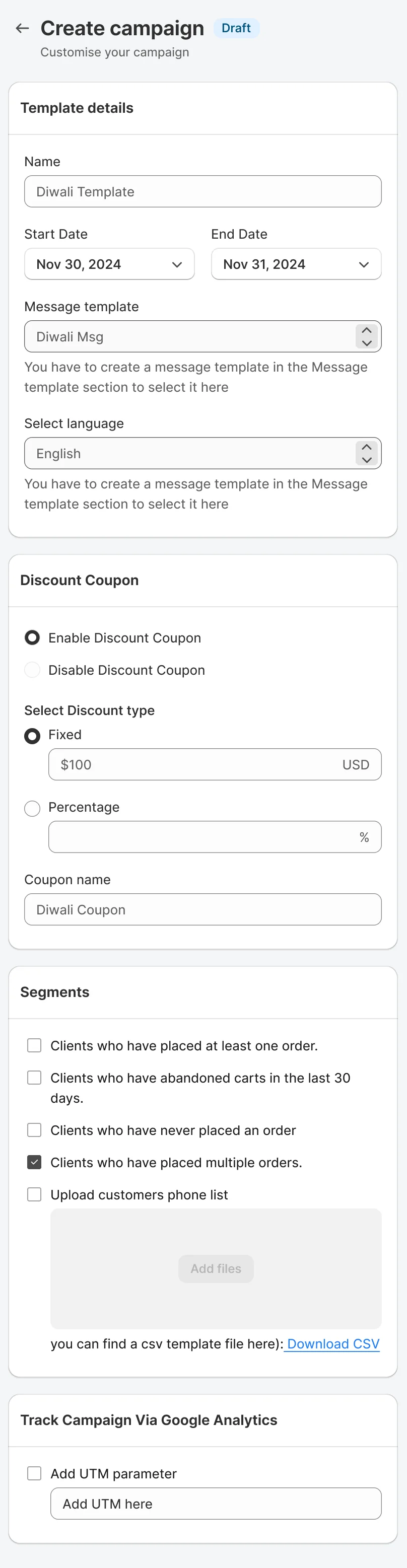
The app's own drawings
Drawn for every moment
Every flow has its own drawing in the app, a green badge in the corner says what you are looking at. Hover, tap or focus a card to swap the badge between Configuration and Message template.
And when there is nothing yet
- No configurations yetYou have no existing configurations. Create your first configuration
- No message templatesYou have no existing message templates. Create your first message template
Before and after
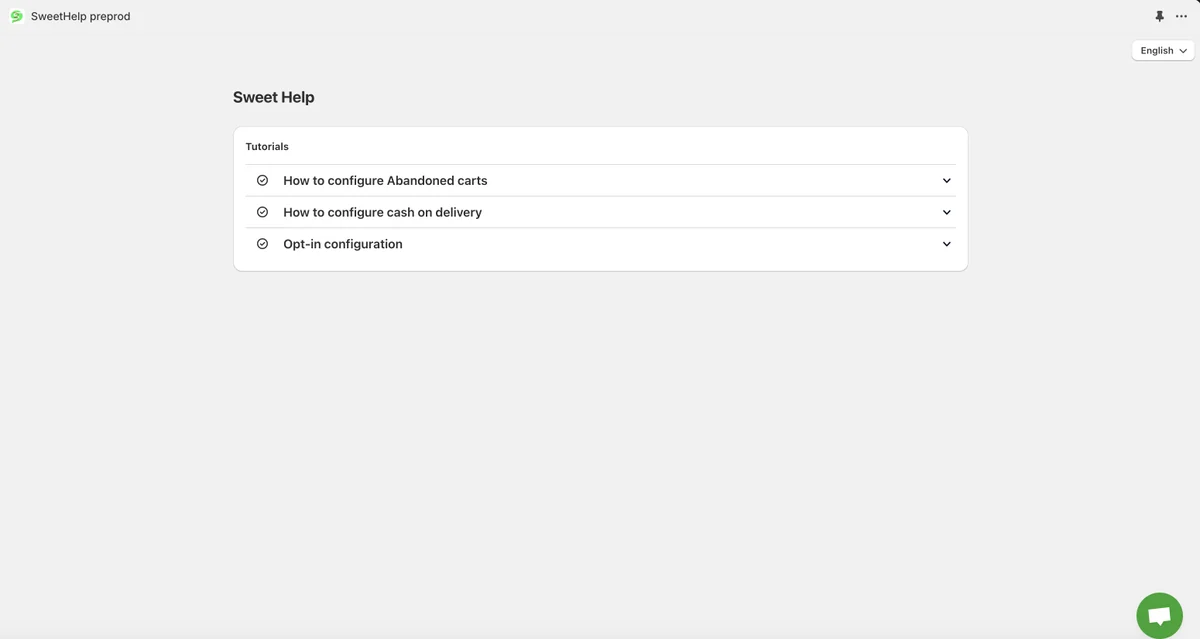
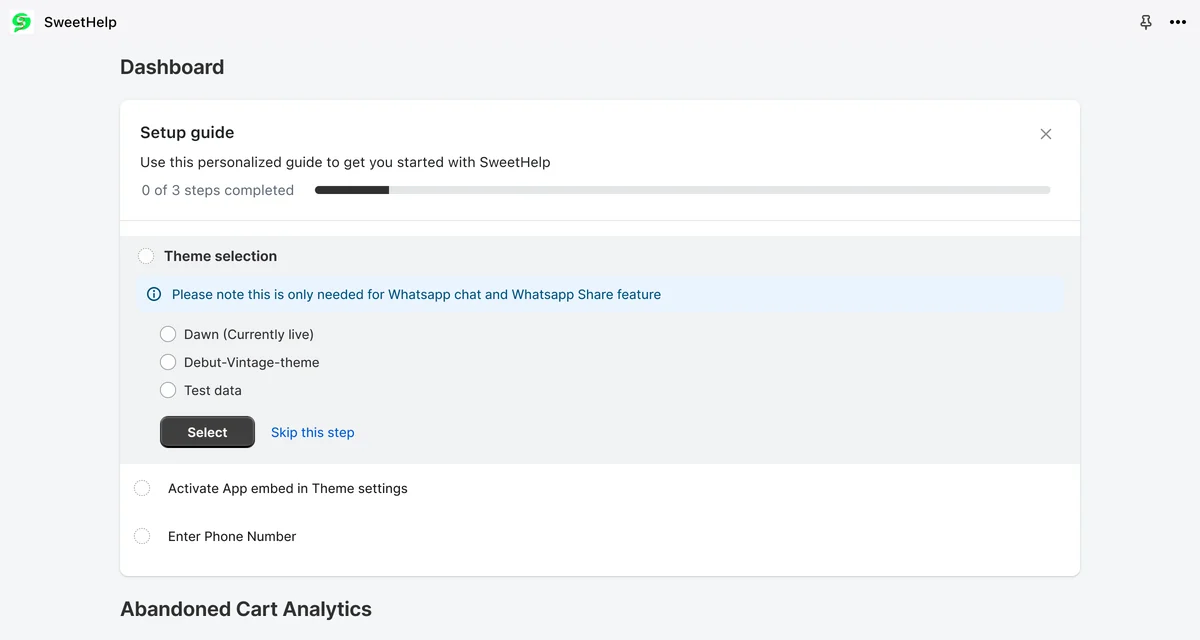
Every order, one message away.
 Shop the Look